Compiling the Dillo browser from source
Dillo browser #
Modern browsers are horribly bloated and slow. I knew this, but I had no frame of reference. My suspicion came mostly from the fact that in the last 15 years of using computers almost daily, browsers haven’t gotten faster despite computers becoming exponentially so. Look at this logarithmic scale!
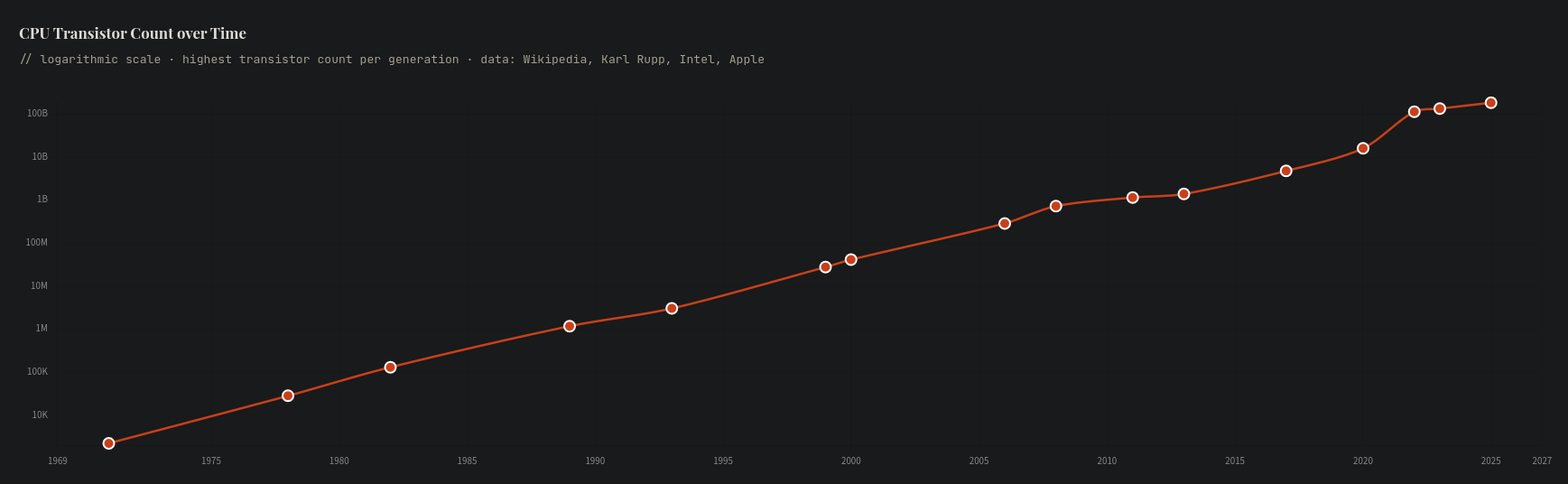
Maybe my Internet is just slow?
Enter Dillo. Despite it being 25 years old, I discovered it recently when looking for alternatives to Firefox after learning that it is investing heavily in integrating GenAI in its products. I ended up landing on using Waterfox with some nice extensions (DarkReader, NoScript, PrivacyBadger, SponsorBlock, UBlock), but also tried out Dillo and was absolutely amazed by its speed, both when the application itself loads and when pages load.
Learning more about its recent history has been both touching and inspiring: Dillo stopped being maintained in 2019 and the original domain is now used by some unknown party, but a group of volunteers has taken the project over and maintains it.
If you’re curious to read more about the current project, I highly recommend you check out the website. This page, despite its almost retro look, in line with the browser’s own looks, is pretty in its simplicity and conveys a lot of information with few, simple, words. A reminder of the old Internet, pre-Web 2.0.
Browsing for a few minutes makes you realize the biggest issue with Dillo: there are many pages it can’t render properly. The great thing about that however is that most pages render mostly extraneous non-sense I don’t care for, ads and trackers and noisy plugins that detract from the main content, and hiding this has been a net benefit. It’s also great fun to see which pages still work well on such a restrictive browser (hacker news and lobste.rs work just fine!). Now I try to use dillo first for all my web browsing, and only when it doesn’t work do I resort to Waterfox.
Compiling from scratch #
Installing Dillo using pacman was straightforward, but after a recent update it kept freezing without letting me do a single search. So instead I tried compiling it from scratch, something I’m still not super familiar with. It fixed my freezing problem and I learned about a new tool while I was at it!
I cloned the repo locally and started following the installation instructions. I tried running autoconf but got an error message about needing to use m4_pattern_allow. I found here that actually one should use autoreconf --install in these cases. It apparently tries to use a variety of tools to build some of the files needed to then run ./configure.
The first ./configure failed, and I had to install fltk with pacman. I chose version 1.4 and got a warning that this could cause some graphical glitches for Dillo, but so far I just get slightly blurry text when the window resizes, which goes away on any subsequent load. Finally I could run ./configure, make, and sudo make install.
Conclusion #
I still need to learn about Dillo’s plugin system, but it is a great project and I encourage everyone to try it. Looking at my own blog with Dillo, I can see it doesn’t render super well, which makes me want to write my own tool for generating this website.
Maybe more importantly, I’m inspired by the people who took over the Dillo project and brought it back.